

How to Update Variations in Cart
This doc article mention the simple steps on how to update variations in cart from the cart page for variable products .
On activation of the plugin, all existing and newly created variable products will automatically be enabled with the feature to change variations in the cart.
Follow this steps
- When customers add any product variation in the cart, they will see a round shaped button named ‘Change’ just below the product’s name.
- Clicking on this button will open the variation change form.
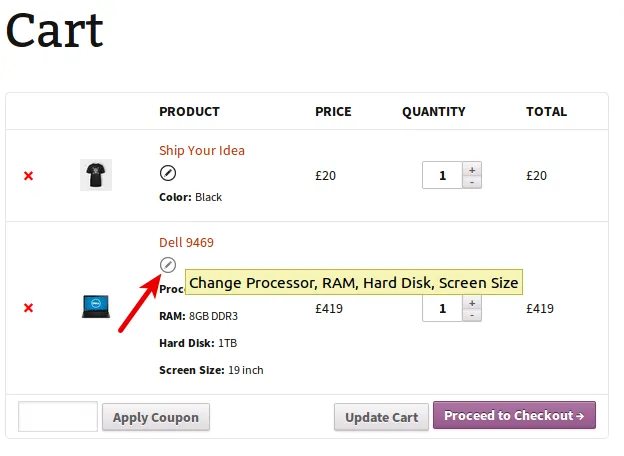
Click on round shaped button to open variation change form 3. Using this form, customers can change variations & can hit the Update button.
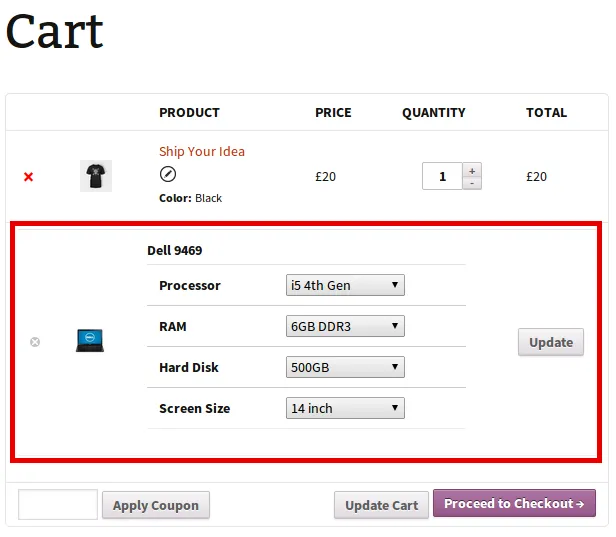
Form to change variations 4. Your customer will then see updated cart values, as shown below. Your customers can update multiple variations at once.
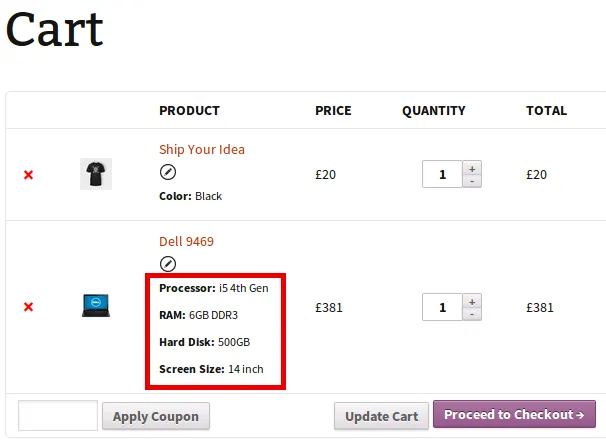
Changed values in cart