

How to Update Serial Key Usage Limit
How you can update the usage limit of serial keys in WooCommerce.
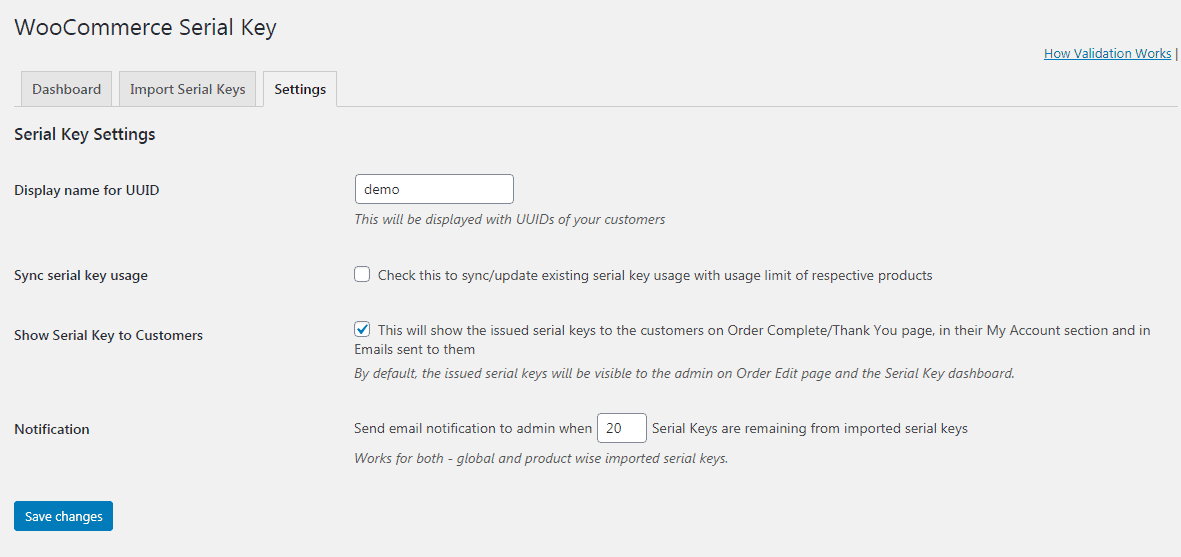
To update the limit for all existing serial keys for all orders at once, go to WooCommerce > Serial Key > Settings. Check ‘Sync serial key usage’ and click Save changes. This will synchronize all your serial key usage with their usage limit, extra data will be discarded / removed.
To update the serial key limit for individual products, go to the Product edit screen & check the ‘Update limit for previous serial keys’ option.