

Tag
Bulk Operations
Posts

Is PW Bulk Edit enough for your catalog, or do you need Smart Manager's full store control? Discover which WooCommerce bulk editor fits your workflow best.

CSV nightmare? Skip the export loop. Compare how Smart Manager and Bulky handle mass updates, complex variations, scheduled sales, and third-party plugin data.


Both plugins edit WooCommerce products from a spreadsheet. But one stops there. Compare WPMelon Advanced Bulk Edit vs Smart Manager to see which one actually runs your store.
Looking for a BEAR alternative? Compare Smart Manager vs BEAR to see which WooCommerce bulk editor offers better features, automation, and long-term value.


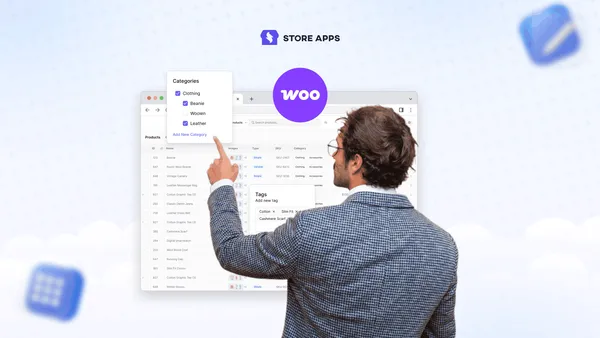
Managing WooCommerce product categories becomes difficult as your catalog grows. This guide explains how to bulk edit category settings, reorganize hierarchy, and update multiple categories faster without editing them one by one.
Bulk editing WooCommerce orders isn’t just about status changes. Learn when WooCommerce works, when it doesn’t, and how store owners safely bulk edit order data without breaking reports or workflows.




Managing hundreds of WooCommerce products? See what you can and cannot bulk edit with WooCommerce’s default tools, how to handle attributes at scale, and the easiest way to update products without repetitive manual work.


WooCommerce order management can be tricky—but it doesn’t have to be. This guide shows how it works by default and how to make things much easier (and maybe even fun). Learn to handle refunds, tweak order pages and emails, and get reports—without the stress.
Accidentally imported 5,000 products? Or just cleaning up your store? This guide shows you how to safely delete all or specific WooCommerce products, without breaking orders, reports, or your site.





After reading this article, you'll be able to bulk delete WordPress posts categories and also bulk remove product categories in WooCommerce quickly.


From bulk approving affiliate requests to assigning tags, know the simple way to view, edit and manage your affiliates quickly.
Learn how to add different product types in WooCommerce and how you can manage and edit all of them in bulk from a single place.